
With the release of Windows 11, many users are questioning whether the built-in security features are sufficient to protect their systems or if they should invest in additional third-party antivirus software. This decision isn’t straightforward; it depends on various factors such as your specific needs, risk tolerance, and how you use your computer.

For some, the enhanced security features of Windows 11 might be enough, while others who handle sensitive data or frequently engage in online transactions may require the added protection of a third-party antivirus. Understanding the strengths and limitations of both options can help you make an informed choice.

Time to upgrade your laptop?
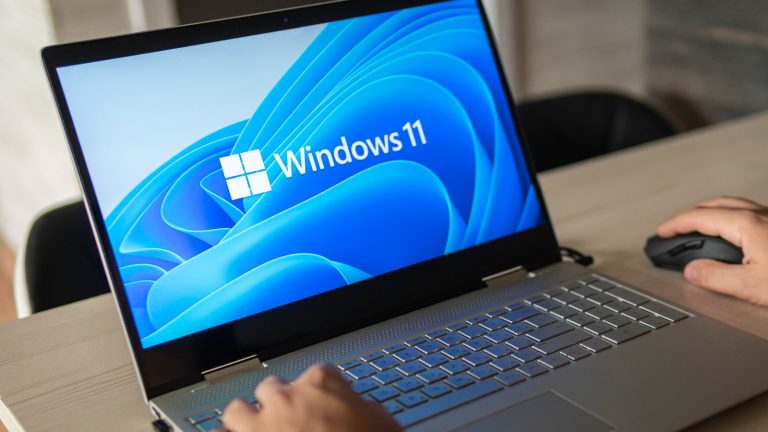
This HP is a beast! Perfect for work, entertainment, and more!! It comes loaded with Windows 11, and features a 13th Gen Intel Core i7-1355U. Check it out!
The Case for Using Third-Party Antivirus Software
While Windows 11 comes with Windows Security (formerly Windows Defender), which provides real-time protection and malware scanning, many cybersecurity experts recommend using a reputable third-party antivirus solution in addition to the built-in security features. Here’s why:
Better Detection Rates and Performance
Independent testing labs like AV-Test, AV-Comparatives, and SE Labs consistently show that third-party antivirus solutions generally have better detection rates and performance against sophisticated threats, zero-day attacks, and online nuisances like virus-laden ads compared to Windows Security alone.
Additional Security Features
Most third-party antivirus suites offer additional features that Windows Security lacks, such as VPNs, password managers, parental controls, dark web monitoring, and more. These extra features can provide a more comprehensive security solution for users who need advanced protection.
Multi-Layered Protection
Cybersecurity experts often recommend a multi-layered approach to security, where multiple security solutions work together to provide comprehensive protection. Using a third-party antivirus alongside Windows Security can create this multi-layered defense against various cyber threats.
When Windows Security Might Be Enough
While third-party antivirus software is generally recommended, there are situations where Windows Security can potentially suffice:
Basic Security Needs
For users with limited security needs and who practice safe computing habits, such as avoiding suspicious websites, downloads, and email attachments, Windows Security may provide adequate protection, especially when combined with other built-in Windows security features like SmartScreen and the firewall.
Performance Concerns
Some users choose to rely solely on Windows Security to avoid potential performance impacts or conflicts that can sometimes arise when using third-party antivirus software, especially on older or less powerful systems.
Limited Resources
For users with limited financial resources or those who prefer not to pay for additional software, Windows Security can be a viable option, as it is included with Windows 11 at no extra cost.
Windows 10 vs Windows 11 Security
Windows 11 vs Windows 10 Security
While Windows 10 established a strong security foundation, Windows 11 advances security significantly with new and improved features that offer better protection than its predecessor.
Hardware-Based Security Enhancements
One of the major improvements in Windows 11 is the requirement for a Trusted Platform Module (TPM) 2.0 chip and support for Secure Boot. These hardware-based security measures ensure that the system boots using only trusted code and components, protecting against malware and rootkits.
Windows 11 also utilizes virtualization-based security (VBS) and hypervisor-protected code integrity (HVCI) to isolate sensitive system components and prevent malicious code from being injected into the kernel. Although these capabilities were available in Windows 10, they are enabled by default in Windows 11, offering enhanced protection.
Improved Malware Protection
Windows 11 offers superior malware protection with features like Smart App Control, which uses AI to block untrusted or potentially harmful applications, including previously unknown malware.
The built-in antivirus solution, Windows Defender, has also been enhanced in Windows 11. It now boasts better detection rates and improved performance against sophisticated threats compared to Windows 10.
Stronger Identity and Credential Protection
Windows 11 introduces more robust authentication methods, such as Windows Hello and passwordless sign-in, which are more secure than traditional passwords and help prevent credential theft.
The TPM 2.0 requirement also enhances protection for credentials and sensitive data through features like Credential Guard and VBS. These advancements provide better security for identity and credential management.
Making the Right Choice
Ultimately, the decision to use additional antivirus software with Windows 11 depends on your specific needs, risk tolerance, and the importance you place on comprehensive security. For those handling sensitive data, engaging in online banking or shopping, or simply seeking an extra layer of protection, investing in a reputable third-party antivirus solution can be a prudent choice.
On the other hand, if your security needs are basic, you practice safe computing habits, and you are mindful of potential performance impacts, Windows Security might suffice. When combined with other built-in Windows security features and regular software updates, it can offer solid protection.
Regardless of your choice, staying vigilant, keeping your software updated, and following best practices for online safety are essential to minimizing the risk of cyber threats.